Edit videos free in your browser
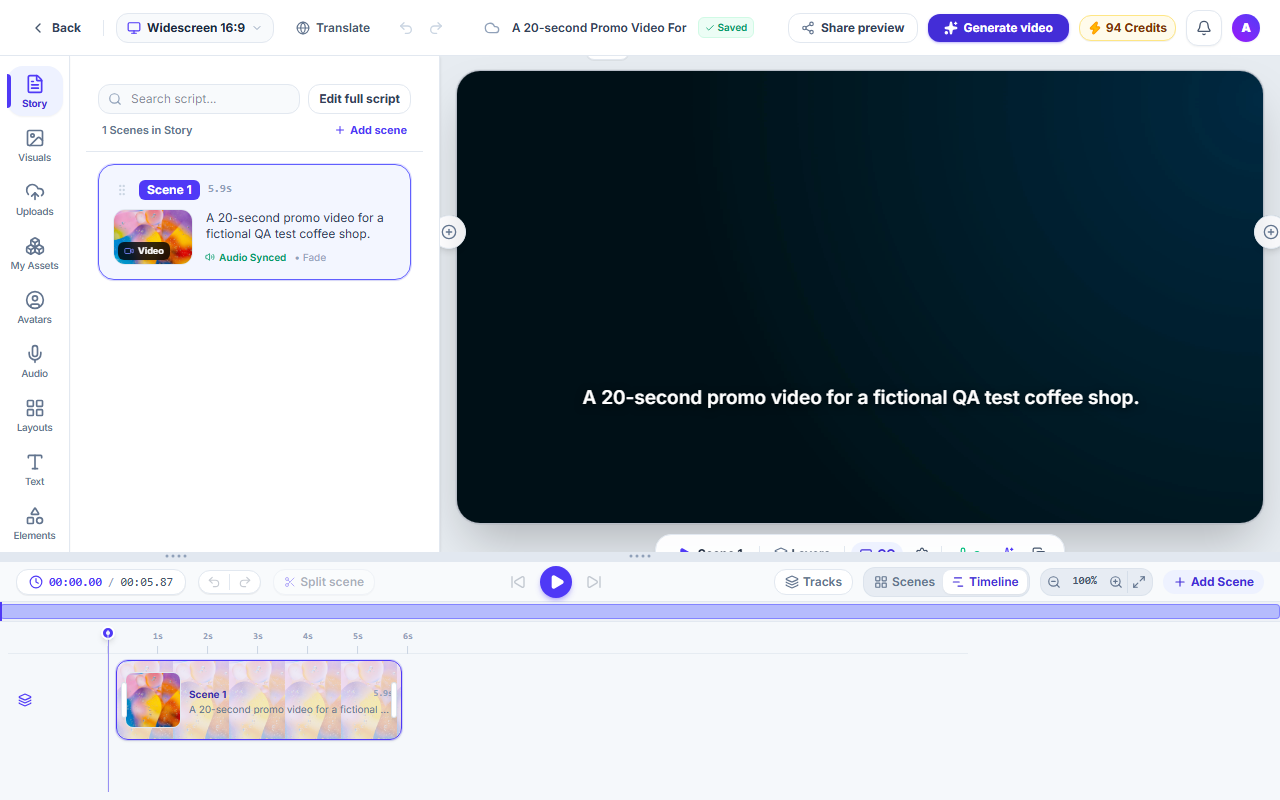
Start a blank project in the Studio editor. Add your own images and videos, write text scenes, add a voice-over, then export. Editing your scenes and exporting use no credits.
How it works
Start a blank video
Create your account and a blank project opens in the Studio editor. If you are already signed in, it opens straight away.
Pick a shape
Choose landscape 16:9, vertical 9:16 or square 1:1. You can change it later from the top bar.
Add your content
Upload your own images and videos, or add a text scene. Then add a voice-over, restyle captions and arrange scenes on the timeline.
Export
Export the finished video. On the free plan, videos export at up to 720p.
What you get
Free to edit
Opening a blank project, editing your scenes and exporting use no credits.
Free voices
Free voices are included on every plan. Premium ElevenLabs voices are on paid plans.
Your own media
Upload images and videos, or drop a file onto the start panel of an empty project.
The full Studio editor
A blank project opens in the same Studio editor as every other project, with the timeline, layouts, text and captions.
Export at up to 720p for free
Free plan exports go up to 720p. Higher resolutions are on paid plans.
Questions and answers
Yes. Opening a blank project, editing your scenes and exporting use no credits. Optional AI tools that create new media for you, and tools that make a whole video such as Text to video, can use credits.
Free voices are included on every plan. Premium ElevenLabs voices are on paid plans. The voice list shows the voices this site offers.
On the free plan, videos export at up to 720p. Higher resolutions are on paid plans; the pricing page lists them.
When the Studio assistant is turned on, an empty project offers "Or describe your video". Describe it in a few words and the assistant drafts scenes on your timeline. Each draft counts toward the assistant's daily message allowance.
Landscape 16:9, vertical 9:16 and square 1:1. You pick the shape when the project opens and can change it later.
No. The editor runs in your web browser.
Start editing for free
Create your account and a blank project opens in the editor.