Turn a script or an idea into a finished video
Paste your script, or describe the video in a sentence. You get narrated scenes with matching visuals and captions, ready to edit.
How it works
Write or paste
Start from a full script, or from a short idea that is expanded into a script for you.
Scenes are built
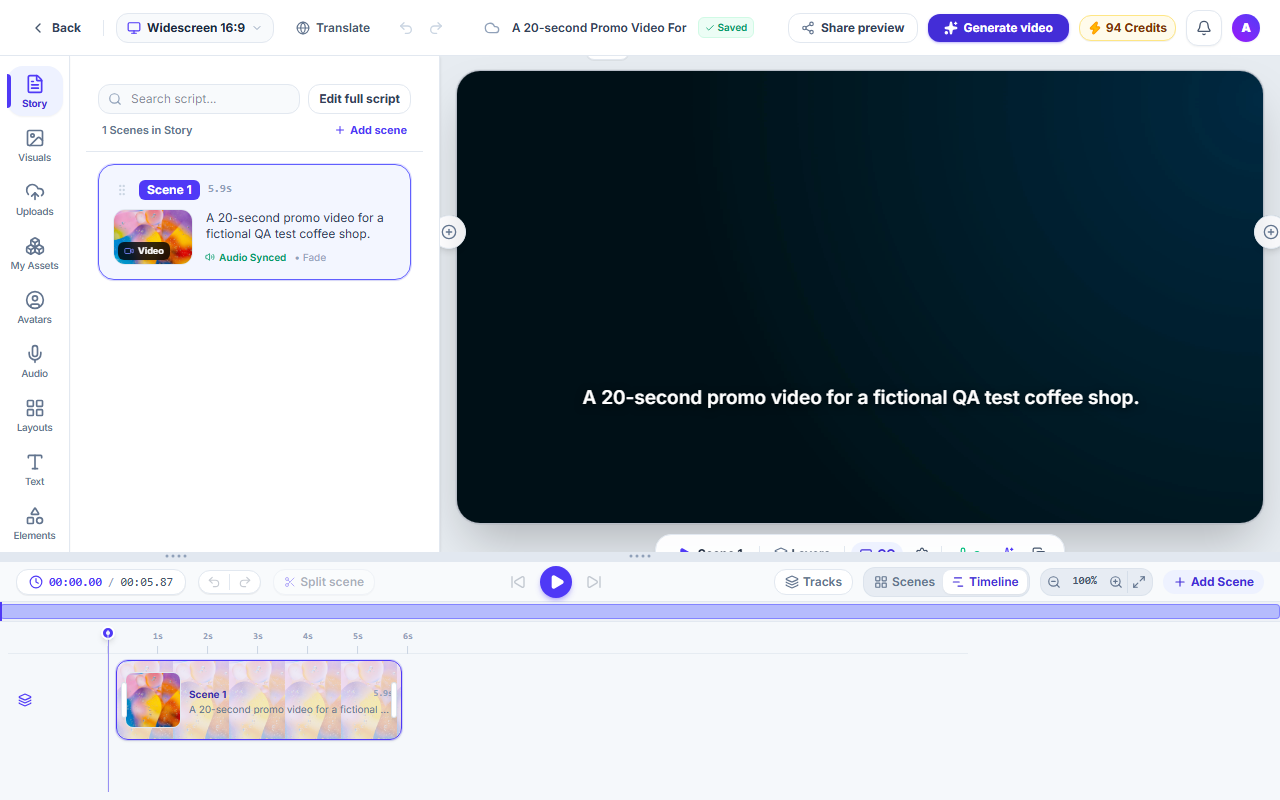
The script is split into scenes. Each scene gets a stock clip or photo, a voice-over and timed captions.
Edit and export
The draft opens in the Studio. Change anything, then export the video.
What you get
A full first draft
Script, visuals, voice and captions are put together for you, so you start from a video, not a blank page.
Voice-over included
A text-to-speech voice reads every scene. The length of the audio sets the length of the scene.
Captions timed to each word
Captions follow the voice word by word and can be restyled.
Everything stays editable
Rewrite a scene, swap a clip, or change the voice in the Studio.
Three shapes
Make the video landscape, vertical or square.
Questions and answers
No. You can start from a short idea and a script is written for you. You can edit it before and after the video is made.
Each scene is matched with a stock video or photo. You can replace any of them with another stock result or with your own upload.
Yes. Every scene, caption and voice-over can be edited in the Studio.
Making the video uses credits, and nothing starts if your balance is too low. The pricing page lists the current plans.
Make your first video from text
Start with a script or a single idea.